


Nutrition. That fits real life.

Seen in depth.

Food by food.

Protein. Carbs. Fat.

Most trackers hand you a number and ask you to trust it. Nourena shows its work.

Nourena is an AI calorie counter and food tracker for iPhone. Photograph a meal and it estimates every food, portion, calorie and macro, shows where each number comes from, and lets you correct anything in your own words before it’s logged.

Photo logging

Snap. Check. Correct. Log.

A routine that takes a photo and a glance, with the final say always yours.

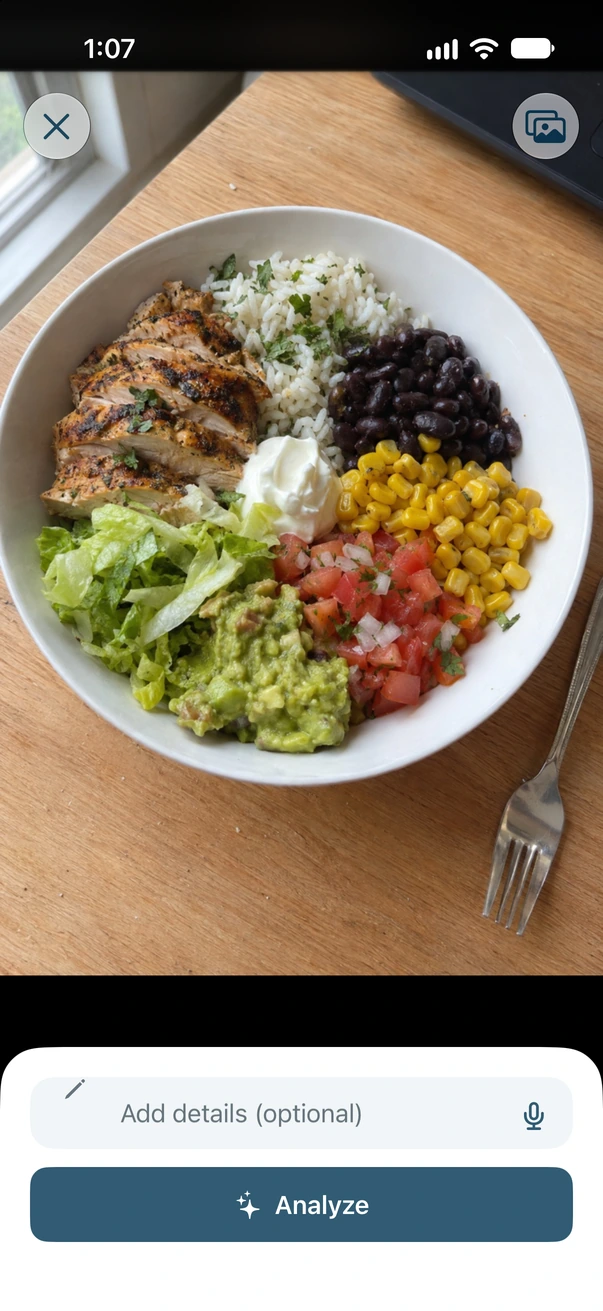
Photograph your plate. Add a quick note for what the camera can’t see: the oil, the sauce, the second helping.

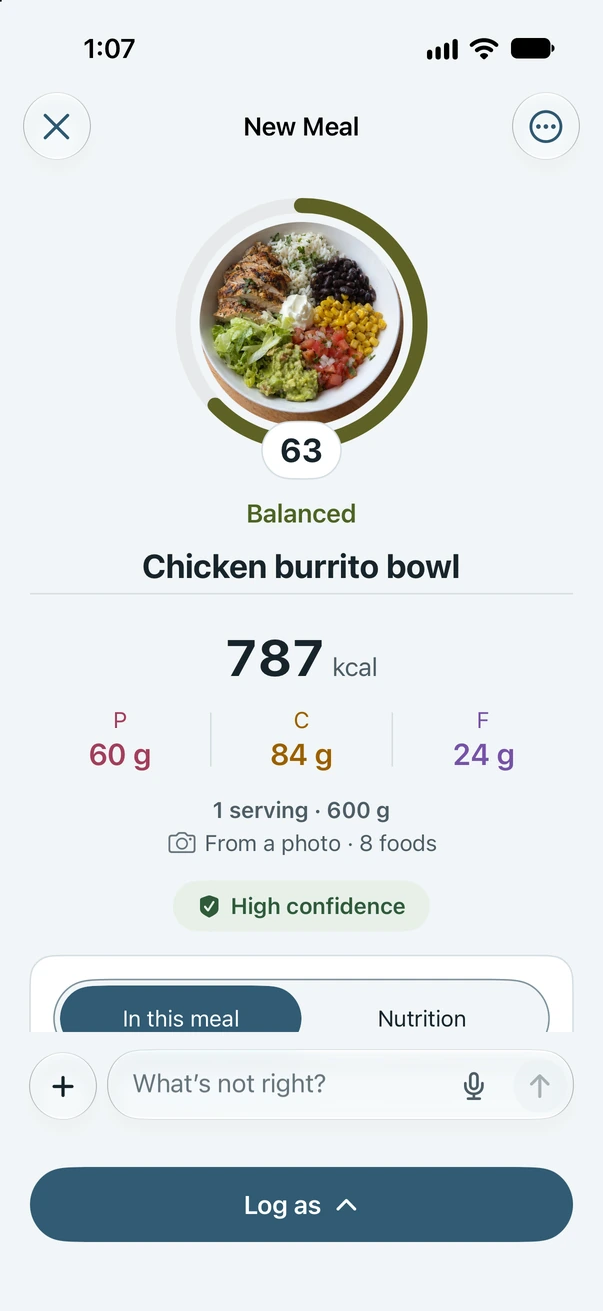
See what’s really on it. Every food it saw, with its portion and calories, plus what was likely added that the camera can’t see. Tap the health score or the confidence score to see the reasons behind them.

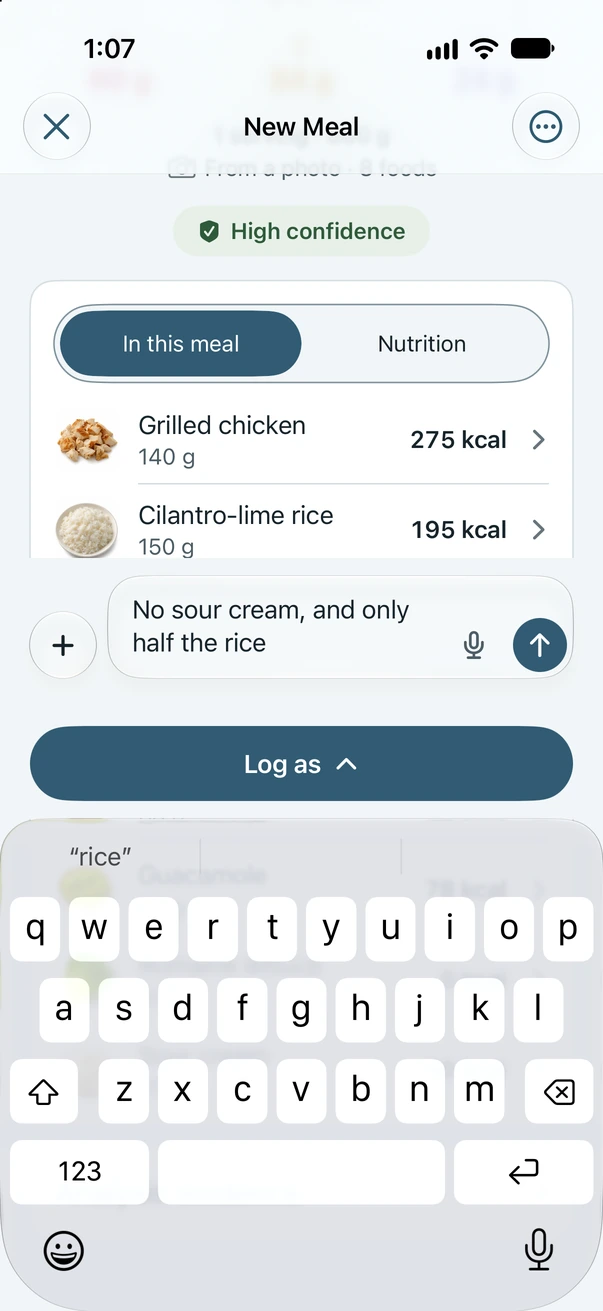
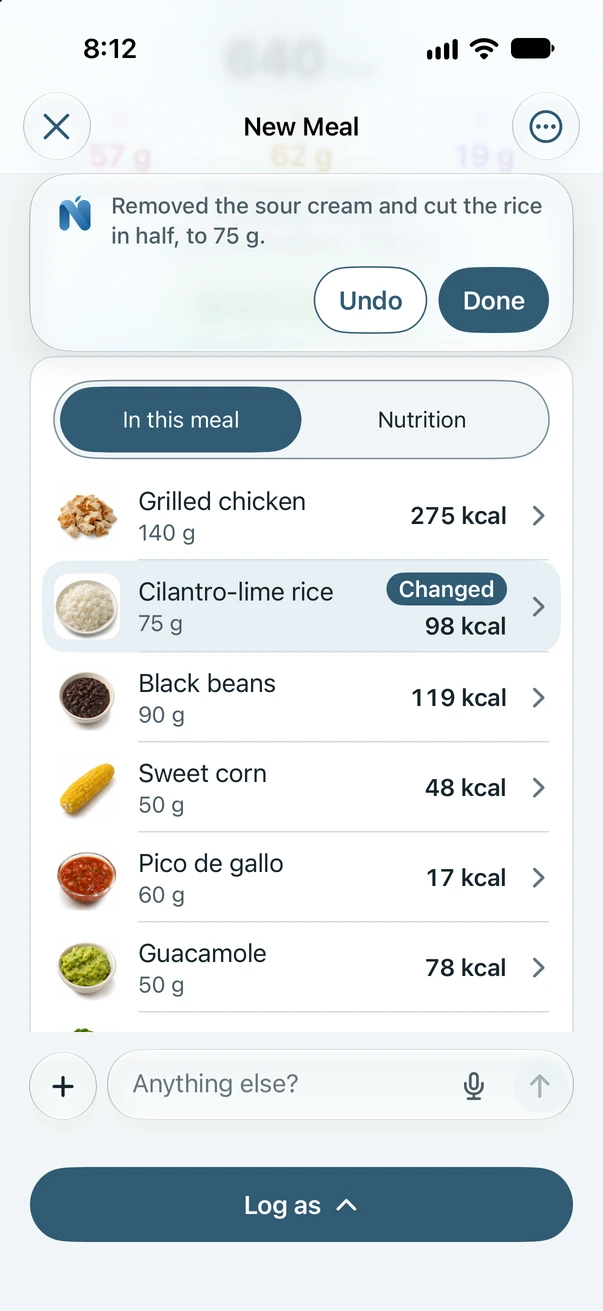
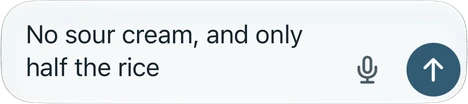
Say what’s off, in your own words. “No sour cream, and only half the rice.” No retyping numbers, no digging through menus.

See what changed. Then log it. Nourena tells you exactly what it changed and marks the food it touched. Undo is one tap away, and nothing reaches your Diary until you log it.

Nourena camera view with a photo of a chicken burrito bowl, a field for optional details and the Analyze buttonNourena meal review of a chicken burrito bowl with a health score of 63, 787 calories, 60 g protein, 84 g carbs and 24 g fat, and high confidenceNourena meal review with a correction typed in its field: no sour cream, and only half the riceNourena replying that it removed the sour cream and cut the rice in half, to 75 g, with Undo and Done, and the rice marked Changed

Library

Everything you eat has a way in.

Not every meal is a plate. Barcodes and labels, the food database and your own meals each have a way in, and they all land in one Library, ready to log again.

Packaged foods

Scan the barcode, or read the label.

Scan a barcode on any plan and Nourena looks the product up in Open Food Facts. Not there? Photograph the package front and its nutrition label: Nourena reads the printed values, highlights anything worth a second look, and keeps both photos as evidence.
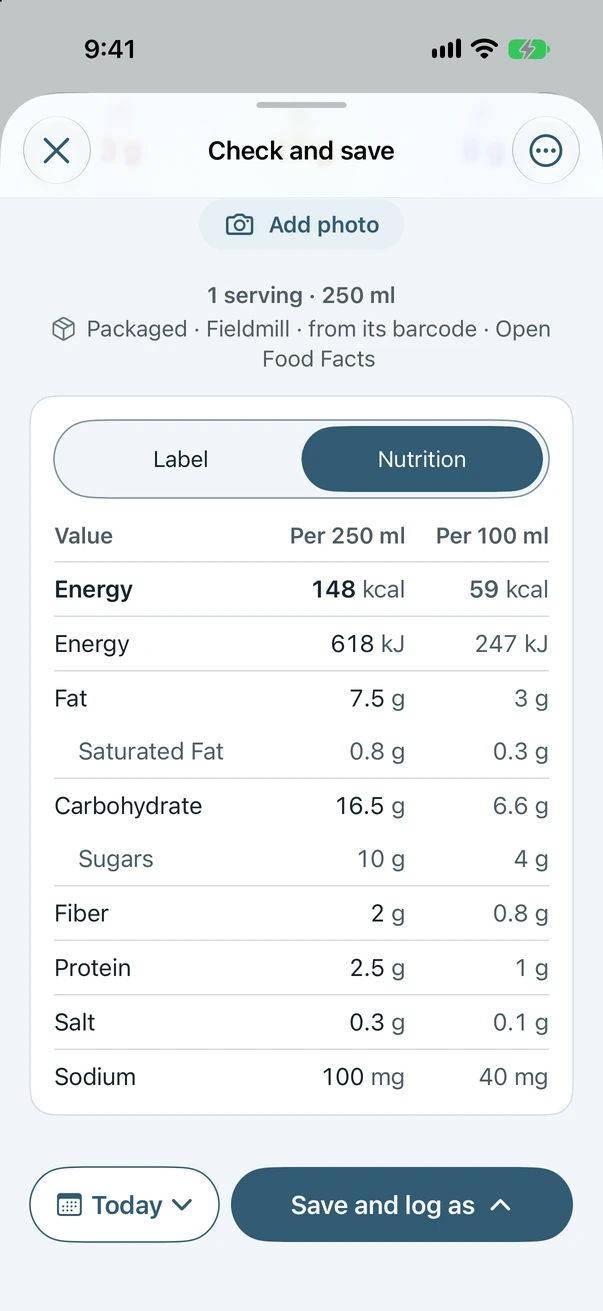
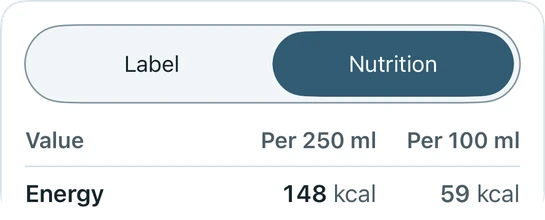
Nourena Check and save screen for a packaged oat drink found by its barcode, with its label values per 250 ml serving and per 100 ml

USDA foods

Official data, in your language.

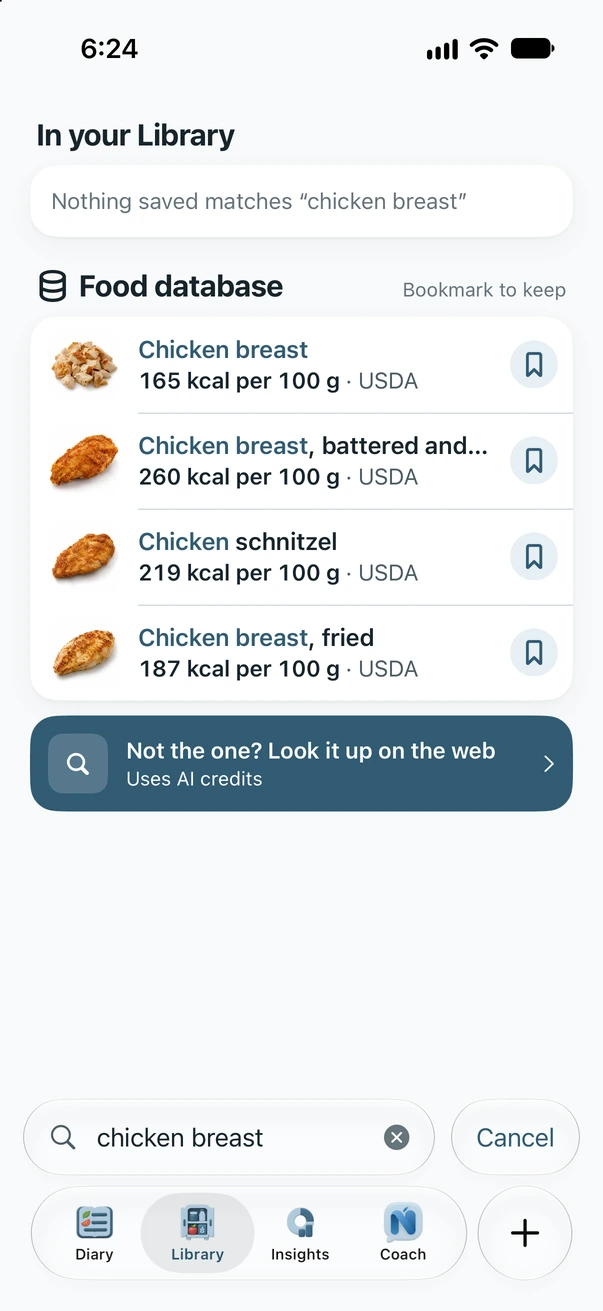
Search USDA FoodData Central in your own language, and when a food isn’t there, look it up on the web. Choose the closest match, set your portion, and log it or keep it for later.

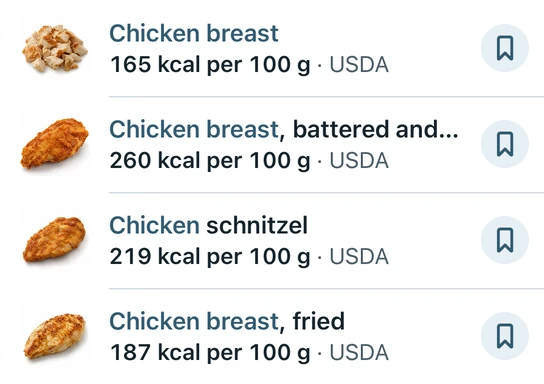
Nourena food search for chicken breast with matches from the USDA food database

Your meals

Build it once. Log it again anytime.

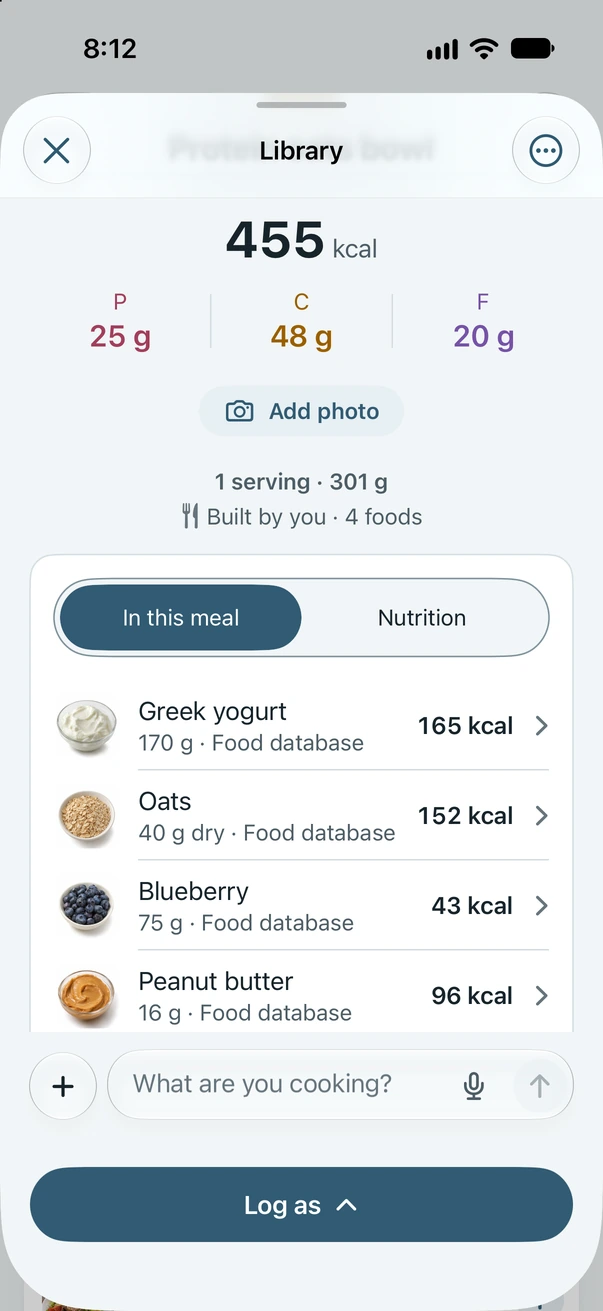
Combine foods and amounts into the meals you come back to. Nourena totals the nutrition and gives the meal a health score.

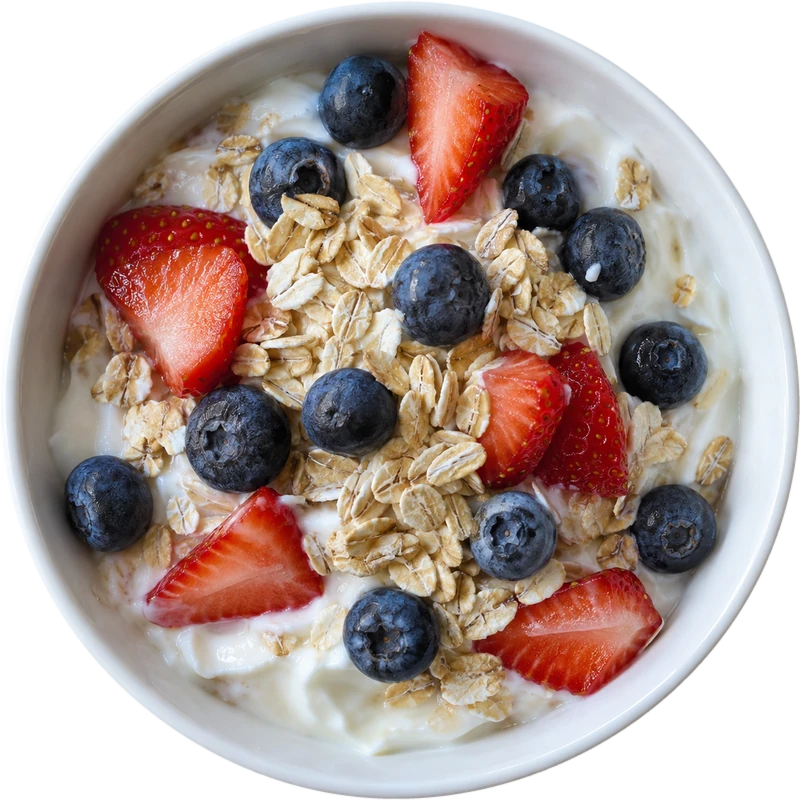
Nourena meal built from Greek yogurt, oats, blueberries and peanut butter, with 455 calories and its macros

Your day

The whole picture. Not just the plate.

Meals, macros, water, weight and activity in one place, trends by week, month, six months or year, and a coach that knows your day.

Diary

A Diary that moves with you.

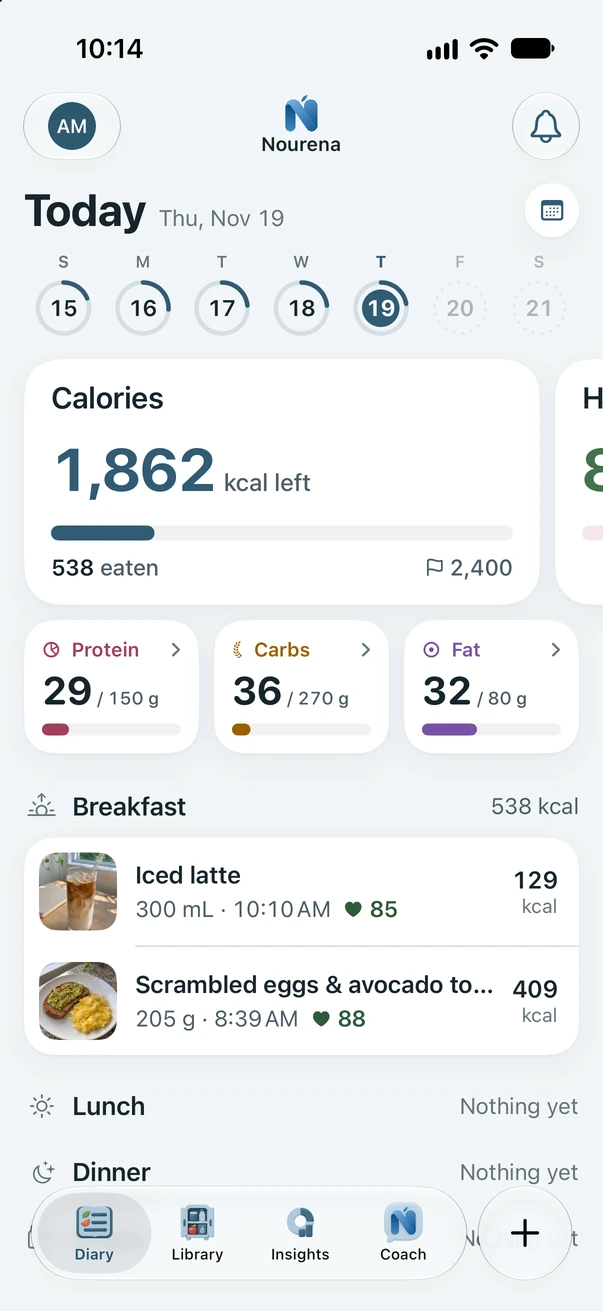
If you turn it on, Apple Health activity adds to your daily target. Calories left, protein, carbs and fat sit above your meals, and water, weight and steps are a swipe away.

Water, weight and activity are part of Pro and Pro +.

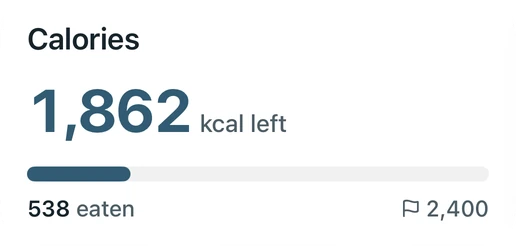
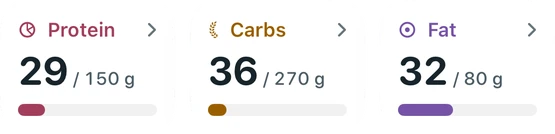
Nourena Diary with 1,862 calories left of 2,400, protein, carbs and fat against targets, and the day’s breakfast

InsightsPro and Pro +

Trends worth acting on.

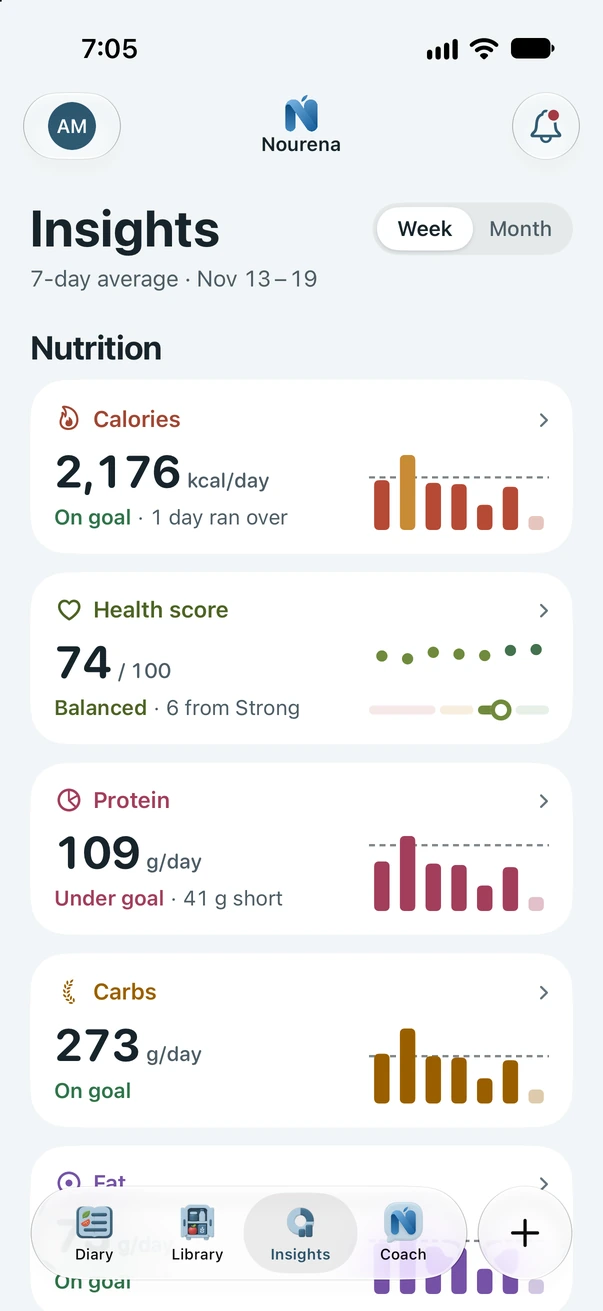
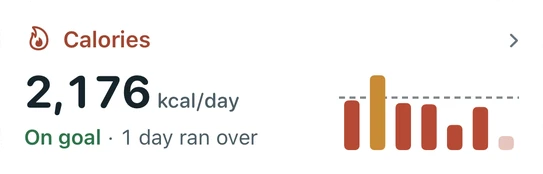
Calories against your goal, days on target, weight and health score, by week, month, six months or year.

Nourena Insights for the week with average calories, health score and protein against goals

AI coachPro and Pro +

A coach that knows your day.

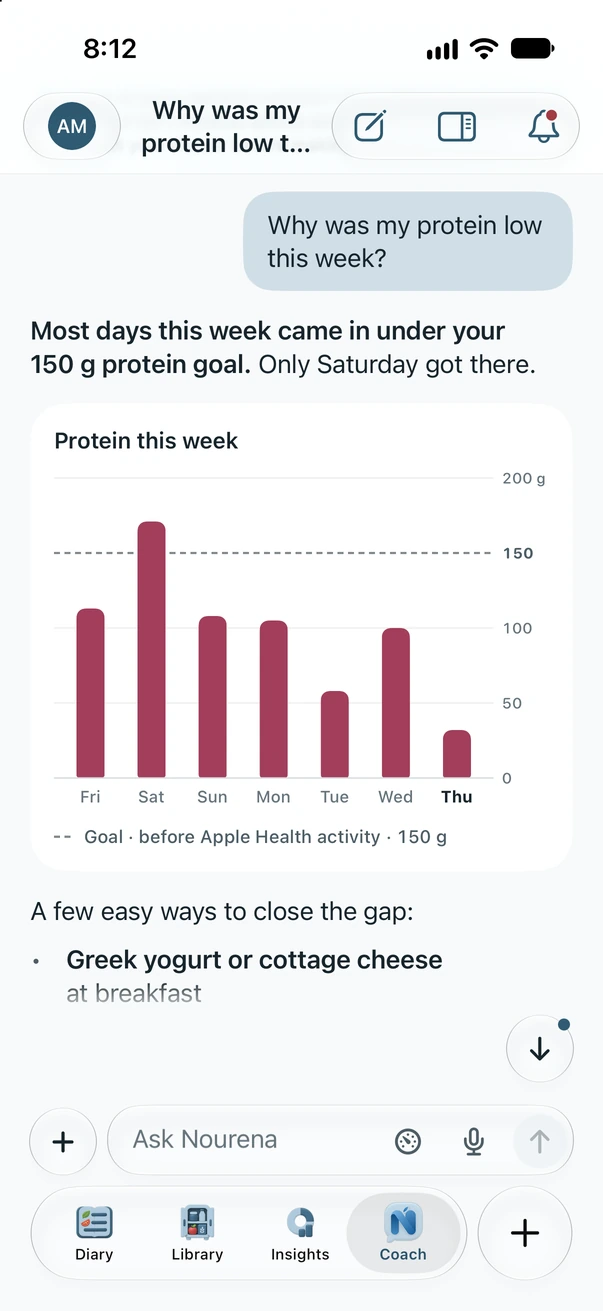
Ask how your week went or what to make for dinner. If you allow it, your coach uses your Diary, Library and goals to answer in context, and it can log a meal or water for you, with Undo.

The AI coach is part of Pro and Pro +. Chats use AI credits, and AI guidance isn’t medical advice.

Nourena AI coach answering why protein was low this week, with a chart of daily protein against the 150 g goal

Why Nourena

A food tracker worth keeping.

If tracking what you eat has ever felt like a chore, you know why: photo logging behind a paywall, AI that only speaks English, numbers you can’t check, and ads and partner promotions between meals. Nourena is built to take each of those away.

Every number shows where it came from. And the last word is always yours.

  • Trying photo logging

    Meal photos analyzed on the Free plan, with monthly AI credits

    What people complain aboutPhoto and AI logging that needs a subscription or a trial

  • Your language

    The whole app in English, Greek, French, Spanish or German

    What people complain aboutNo Greek interface in many leading trackers

  • AI that understands you

    Analyses, corrections and coach answers in your own language

    What people complain aboutPhoto and voice logging that works only in English

  • Where numbers come from

    A source on every food: a database match, the label, or Nourena’s own estimate

    What people complain aboutCrowd-sourced entries that the apps themselves say can be wrong

  • Ads while you log

    No ads, on any plan

    What people complain aboutAds and partner promotions between your meals

  • When it gets it wrong

    Say what’s wrong in plain words. It’s fixed at once, with Undo one tap away

    What people complain aboutFixing a photo result means swapping matches or searching again

  • Oil, sauces and hidden fat

    Add how it was cooked, and see what was likely added, like the oil

    What people complain aboutPhoto estimates that miss what the camera can’t see

  • Scanning a barcode

    Barcode scanning on every plan, free when the product is found

    What people complain aboutBarcode scanning that needs a paid plan

Calm by design

An app that stays out of your way.

Nourena is built with Apple’s own interface components, so it feels like it came with your iPhone. Your Diary opens on the day at a glance, and nothing competes for your attention while you log.

  • No ads, no partner promotions, no social feed
  • System fonts that follow your text size, in Light or Dark
  • One plan offer when you start, then plans only when you open a Pro feature or run low on credits
Nourena meal review of a chicken burrito bowl with a health score of 63, 787 calories, 60 g protein, 84 g carbs and 24 g fat, and high confidence

What you can count on.

  • No ads

    Not on the Free plan, not on any plan. Your Diary is for your meals.

  • Every number shows its source

    Each food says where its values come from: a food database, the label, the web or Nourena’s own estimate.

  • The last word is yours

    Corrections apply at once with Undo, and nothing reaches your Diary until you log it.

  • Photo analysis on the Free plan

    Every plan analyzes meal photos with its monthly AI credits. No card needed to start.

Make your next meal the first one you log with Nourena.

Coming soon to the App Store

Complaints drawn from the help pages, App Store listings and reviews of leading calorie apps, read in November 2026. No app is named, and not every app has every issue.

Plans

Start free.

Every plan includes photo analysis, barcode and label scanning, food search, meal building, your Library and Diary. Pro and Pro + add the AI coach, Insights, and water, weight and activity tracking.

Free

To get started

200

AI credits a month

$0 No card, no commitment.

  • Included: Food diary and meal logging
  • Not included: Chat with your AI coach
  • Not included: Insights: trends, days on goal and health score
  • Not included: Water, weight and activity in your Diary

Pro +

For heavy use and bigger goals

2,000

AI credits a month

$19.99 per month

  • Included: Food diary and meal logging
  • Included: Chat with your AI coach
  • Included: Insights: trends, days on goal and health score
  • Included: Water, weight and activity in your Diary

Pro and Pro + have the same features. Pro + has twice the AI credits.

What credits are for. Photo meal analysis, nutrition label reading, food searches, health scores for meals you build, and chats with your AI coach. What a request uses depends on the work it takes, and a request that fails costs nothing. Plan credits renew every month and don’t carry over. Credit packs are one-time purchases, and purchased credits never expire.

Prices in US dollars. Pro and Pro + renew every month until you cancel, and you can cancel anytime in your Apple Account settings. The App Store shows the final price before you buy.

Privacy

Your data, on your terms.

No ads, no advertising identifier, no ad networks or data brokers. AI stays off until you allow it, and you can export or delete your data right in the app.

AI, only with your permission

AI features stay off until you allow them. Then AI requests, like a meal photo, go only to AI providers that keep nothing once they’re processed. Web searches that check sources go to a search provider with its own data practices, and Nourena doesn’t train its own AI on your content.

Depth made on your iPhone

The depth map that helps judge portions is made on the device, then sent along with the photo for analysis.

  • Sign in with Apple

    No password to create. Keep your email private with Apple’s relay if you like.

  • No ads, no ad tracking

    Nourena shows no ads, doesn’t collect Apple’s advertising identifier and has no ad networks or data brokers.

  • Apple Health, read only

    With your permission, Nourena reads steps and active energy. It never writes to Apple Health.

  • Photos without location

    Photos are saved without their location and camera details, and you pick them with Apple’s photo picker, so Nourena doesn’t get your whole library.

  • Apple handles payments

    Plans and credit packs go through Apple. Nourena never receives your card number.

  • A copy of your data

    Export your data anytime from Profile › Privacy & data › Export my data.

  • Delete from the app

    Delete your account, its saved content and files from Profile › Manage account, at any time.

  • Synced and stored in London

    Your account’s data and photos sync across your devices and are stored primarily in London, UK.

Questions, answered.

How each feature works, step by step, what’s on the Free plan, and how your data is handled.

Getting started

Is Nourena free?

You can start on the Free plan with no card. It includes photo analysis, barcode and label scanning, food search, meal building, your Library and Diary, with 200 AI credits a month. Pro and Pro + add the AI coach, Insights, water, weight and activity tracking, and more credits.

How do I sign up for Nourena?

Tap Sign in with Apple. There’s no password to create, and you can keep your email private with Apple’s relay. Then, on Before you continue, confirm you’re 18 or over and agree to how your health information is used.

What happens when I first open the app?

A short welcome: guess the calories on a sample plate, snap your first meal, answer a few questions to set your daily target, build your go-to meal and choose reminders. Its AI doesn’t use your credits: try up to 3 meal photos, 5 corrections and 2 packaged labels within 7 days. Tap Continue free to stay on the Free plan.

Does Nourena work in Greek and other languages?

Yes. The app comes in English, Ελληνικά, Français, Español and Deutsch, and meal analyses and coach answers are written in your language. Choose one in Profile › Settings › Language, or pick System Default to follow your iPhone.

Photo logging

How do I log a meal from a photo?

Tap + and choose Analyze food or drink. Take or choose up to 3 photos of one meal or drink, add Photo details if you like, and tap Analyze. Check the result, then tap Log as and pick Breakfast, Lunch, Dinner or Snack. The Snap a meal control in Control Center opens the camera straight away.

What should I write in Photo details?

Anything the camera can’t see: what’s in it, how it was made and how much you ate, like “fried in olive oil, I had half”. Type it or dictate it, up to 500 characters.

How accurate are AI photo calorie estimates?

They’re estimates, not measurements. A photo can’t show everything, such as oil absorbed in frying or what’s in a sauce. Nourena lists what was likely added, shows a source on each food, tells you how confident it is and why, and lets you correct anything before you log.

What is the Nourena health score?

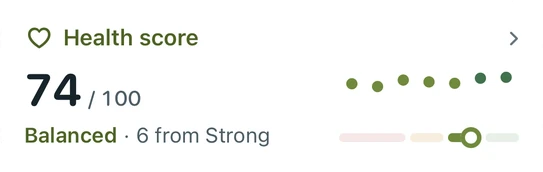
A score from 1 to 100 that Nourena’s AI gives a food or meal for its nutritional quality, with the reasons written out: Strong (80 and up), Balanced (60 to 79), Mixed (40 to 59) or Needs improvement (under 40). It helps you compare meals. It isn’t medical advice.

What does the confidence score mean?

Nourena confidence is the AI’s own assessment of its estimate: High, Moderate or Review recommended. Tap it to see what helped and what held it back, such as a clear photo, the depth map or a sauce it can’t see into. It isn’t a measured accuracy rate.

What is the depth map for?

Your iPhone makes a depth map of the photo on the device, showing which parts are closer. It’s sent with the photo to help judge portions, and the confidence explanation says whether the estimate used the photo alone or the photo and its depth map.

How do I fix a wrong result?

Under What’s not right? at the foot of the review, type or dictate the fix, like “it was brown rice, about 250 g”. Nourena applies it at once, says what it changed and tags the rows Changed or Added. Tap Undo on its reply, or ⋯ › Undo last change. You can also replace, edit or remove a food yourself.

Can I save a meal without logging it?

Yes. Choose Save to Library only to keep it for later, or Save and log as to do both. The ⋯ menu also lets you change the serving, add a note or choose where it’s saved.

Barcodes and labels

Can Nourena scan barcodes?

Yes, on every plan. Tap + › Scan barcode and hold the code in view, or use Photos or Type the Barcode. Nourena looks the product up in Open Food Facts, a community food database, without sending your account details or diary, and uses no credits when it finds it. Check the values per 100 g or ml, then log or save it.

What if a barcode isn’t found?

Choose Take two photos and Nourena reads the package front and nutrition label instead, using credits. Or choose Enter the values myself.

How do I scan a nutrition label?

Tap + › Packaged label and follow the two steps: 1 of 2, the front of the pack, and 2 of 2, the nutrition label. Nourena reads every row and highlights values worth checking beside a crop of the label. Check them, then save. Unknown values stay Unknown, never zero, and the photos are kept as evidence.

Search, meals and Library

How do I search for a food?

Use Search Library & food database in Library. Your own foods and meals show at once; tap Search to look in the Food database, USDA FoodData Central, in your own language. Choose the closest match, set your portion, and log or save it. Searching your Library is free; Food database searches use credits.

Can Nourena find foods from my country?

If the Food database doesn’t have it, tap Look it up on the web. Nourena searches official national food databases and manufacturers’ pages, and marks the food Found on the web. Web lookups use credits.

How do I build a meal?

Tap + › Build meal, then Add foods from your Library, Recent, the Food database or a package scan. Set each amount and whether it’s Raw, Cooked or Dry, add a photo or note if you like, and Nourena totals the nutrition with a health score. Tap Save meal, or Log as. ⋯ › Save to chooses Diary and Library, Diary only or Library only.

Can I describe a meal in words?

Yes, with Pro or Pro +. In Build meal, type in Describe your meal, like “my usual oats with a banana”, and Nourena builds or changes the meal from your words, using your Library. It uses credits.

What’s in my Library?

Every food and meal you keep, built by you, from photos, from the Food database or packaged. Filter by All, Meals, Foods or Beverages, sort items into up to 30 categories, and open one to rename it, change its photo, edit its details or delete it.

How do I log the same meal again?

From a meal in your Diary, such as Lunch, tap From Library to open Add to Lunch. Its Recent list shows up to five items you logged in the last 30 days: tap + beside one to log it at once, with Undo if you change your mind. Anything saved in your Library can be added there too.

Diary and goals

How does Nourena set my daily calorie target?

In Profile › Settings › Goals & Targets, or during the welcome, choose to lose, maintain or gain weight and enter your details, activity level and pace. Nourena estimates your maintenance calories and sets a target from there, never below 1,200 calories. You can set a custom target and macros instead. It’s an estimate to start from, not medical advice.

Can activity and unused calories add to my target?

Two switches in Goals & Targets, both off by default. Add activity calories automatically adds Apple Health active energy beyond what your activity level already counts. Roll over unused calories carries up to 500 of yesterday’s unused base-goal calories into today, if you logged at least 60% of your base goal and didn’t leave the day partly logged. Activity calories and earlier rollover don’t carry over.

How do I move or delete a Diary entry?

Swipe an entry to Move or Delete it, or press and hold for Move to (then choose a meal), Move to another day, Save to Library and Delete. Tap an entry to edit it. The week strip and calendar take you to any other day.

Does Nourena work with Apple Health?

Yes, if you allow it. Nourena reads your steps and active energy, and can add activity calories to your daily target. It never writes to Apple Health. Connect it during the welcome, from the Diary’s Activity card or in Goals & Targets › Connect Apple Health, and stop it in Profile › Privacy & data › Apple Health.

Can I track water, weight and steps?

Yes, with Pro or Pro +. Your Diary adds Water, with a quick add and an optional goal in ml or fl oz; Weight, with check-ins, a goal, a chart and history; and Steps and Activity from Apple Health.

Insights and AI coach

What does Insights show?

With Pro or Pro +, Insights shows calories, health score, protein, carbs, fat, weight, activity and hydration by Week or Month, and Edit cards lets you show, hide or reorder them. Details cover Week, Month, 6 months or Year, with highlights, a day list and your top meals. A day is on goal from 60% of your goal to 5% over.

What can the AI coach do?

With Pro or Pro +, the coach answers questions about your meals and progress and suggests ideas, like “Suggest a dinner from my library”. Attach photos, PDFs or text, or dictate. Ask it to log a meal, water or weight, build or edit a meal, or change your goal, with Undo. Chats use credits and aren’t medical advice.

What can the AI coach see?

Once AI is allowed, Use my Nourena data, Verify against sources, Remember things across chats and Use earlier conversations are on, and you can turn each off under What Nourena can use in the chat settings. Share Apple Health activity stays off until you turn it on. You can also give the coach a nickname, a reply style, your allergies, favorite foods and foods to avoid.

Widgets and settings

Does Nourena have widgets?

Yes. The Calories widget is on every plan. With Pro or Pro +, add Today, Macros, Meals, Health score, Weight, Steps, Water, This week, On-goal days, Log again, Ask Nourena and more. Controls for Control Center and the Lock Screen open Snap a meal, Scan barcode, Search foods, Add water, Log weight or Ask Nourena.

Can Nourena remind me to log meals?

Yes. In Profile › Settings › Notifications, set Meal Reminders for your times on every day, weekdays or custom days, plus Target Reminders, Quiet Hours and Progress Updates. Weight and Hydration Reminders come with Pro or Pro +. Notifications use general wording unless you turn on Show personal details on the lock screen.

Does Nourena use pounds or kilograms?

Units follow your iPhone’s region: in the US you see lb, fl oz and inches, and elsewhere kg, ml and cm.

Is there a dark mode?

Yes. In Profile › Settings › Appearance, choose System, Light or Dark.

Does Nourena work offline?

Partly. Your Diary, Library and manual edits work offline and sync when you’re back online. Photo analysis, label reading, dictation, food database and web searches, barcode lookups and the coach need a connection.

Plans and credits

What are AI credits?

AI features use credits: photo analysis, label reading, food database and web searches, Describe your meal and coach chats. Once AI is allowed, some work also runs on its own and uses credits, like health scores, food categories and product pictures. What a request uses depends on the work it takes, and one that fails or that you stop costs nothing. Library searches and known barcodes are free.

How many AI credits do I get?

Free includes 200 credits a month, Pro 1,000 and Pro + 2,000. Plan credits renew every month and don’t carry over; credit packs of 200, 500 or 1,000 are one-time purchases, and purchased credits never expire. In Profile, Your credits shows your balance and Usage history, and Get credits offers the packs.

Is there a free trial?

No. Instead, start on the Free plan and upgrade whenever you want Pro features or more credits. Pro and Pro + have the same features; Pro + has twice the credits.

How do I restore or cancel my subscription?

Open Profile and tap your plan to open Plan & billing. Restore purchases brings your plan back after reinstalling or switching iPhone, and Redeem code applies an offer code. Manage subscription opens Apple’s screen, where you can cancel anytime. Apple handles all payments.

Privacy and account

Is my food data private?

Nourena shows no ads, doesn’t collect Apple’s advertising identifier and has no ad networks or data brokers. AI is off until you allow it; AI requests then go only to AI providers that keep nothing after processing, while web searches that check sources go to a search provider with its own practices. Nourena doesn’t train its own AI on your content.

Does Nourena send my photos anywhere?

Once AI is allowed, photos you use with AI are sent to AI providers for analysis: meal photos with their depth map, made on your iPhone, nutrition label photos, photos you attach in the coach chat, and package photos used to make a product picture. Those providers keep nothing after processing. Photos are saved without location or camera details and sync to your account.

How do I turn AI features off?

AI stays off until you tap Allow AI features the first time you use one. To change your mind, go to Profile › Privacy & data › AI processing. Your Diary, Library, barcode lookups and manual edits still work without AI.

How do I export my data?

In Profile › Privacy & data, tap Export my data. You get a file to save or share, and the photo links in it work for 24 hours.

How do I delete my Nourena account?

Go to Profile › Manage account › Delete account, check what’s erased, tap Continue, confirm with Sign in with Apple, then tap Delete account. This removes your account, its saved content and files. It doesn’t cancel an App Store subscription, so cancel that first.

When can I download Nourena?

Nourena is coming soon to the App Store for iPhone. This page will link straight to it as soon as it’s available.

Your next meal is a good place to start.

Nutrition. That fits real life.

Take a photo, check the estimate, and keep a food log that reflects what you actually ate.

Coming soon to the App Store